How To Create Your First Store On KarryBiz In 5 Minutes

Launching an online store today is easier than ever, but choosing the right platform can make a huge difference. For many entrepreneurs in Africa, especially in Nigeria, using a local e-commerce platform like KarryBiz is often a smarter choice than relying on global alternatives. Platforms built for Western markets may not fully understand the realities of doing business in Africa — from payment systems without any restrictions and logistics that people already trust, to local business regulations and customer behaviour. KarryBiz, on the other hand, is designed with the African entrepreneur in mind, providing solutions that align with the local business environment and the challenges many online sellers face daily.
Beyond simply creating an online store, KarryBiz offers a complete business infrastructure that helps entrepreneurs launch, manage, and scale their businesses from a single dashboard. Instead of juggling multiple tools for products, orders, invoices, customers, and business records, KarryBiz brings everything together in one place. This all-in-one system allows business owners to focus on growing their brand and serving customers rather than dealing with technical complexity.
If you are ready to take your business online, this guide will show you how to create your first KarryBiz store in just five minutes.

Step-by-step Guide To Create Your First Store On KarryBiz In 5 Minutes
Step 1: Download the KarryBiz App (30 seconds)
Before anything else, you need the app on your phone.
• iPhone users: Search “KarryBiz” on the App Store or go to apps.apple.com
• Android users: Search “KarryBiz” on Google Play Store. Once it downloads, open it. You will land on the welcome screen.
Step 2: Sign Up and Create Your Account (1 minute)
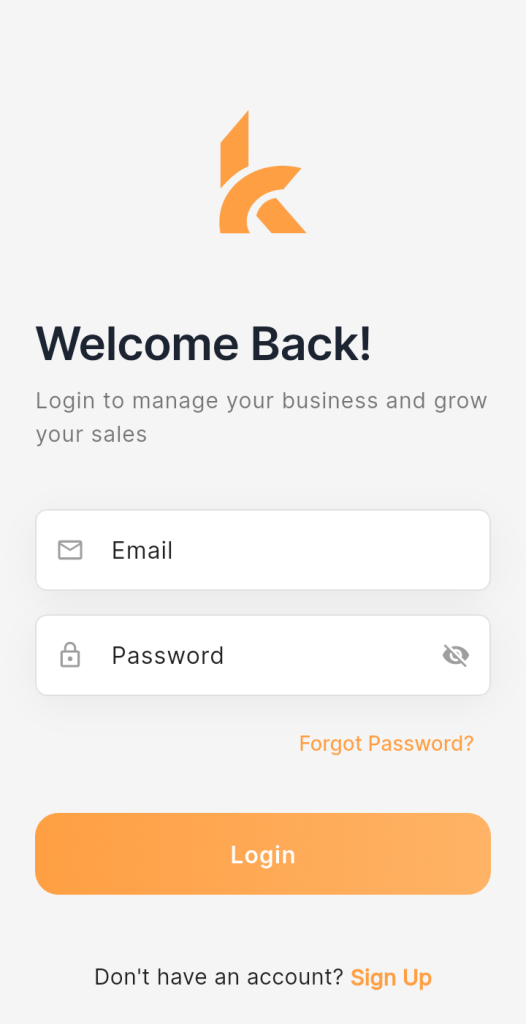
Tap “Get Started or Sign Up” on the welcome screen.
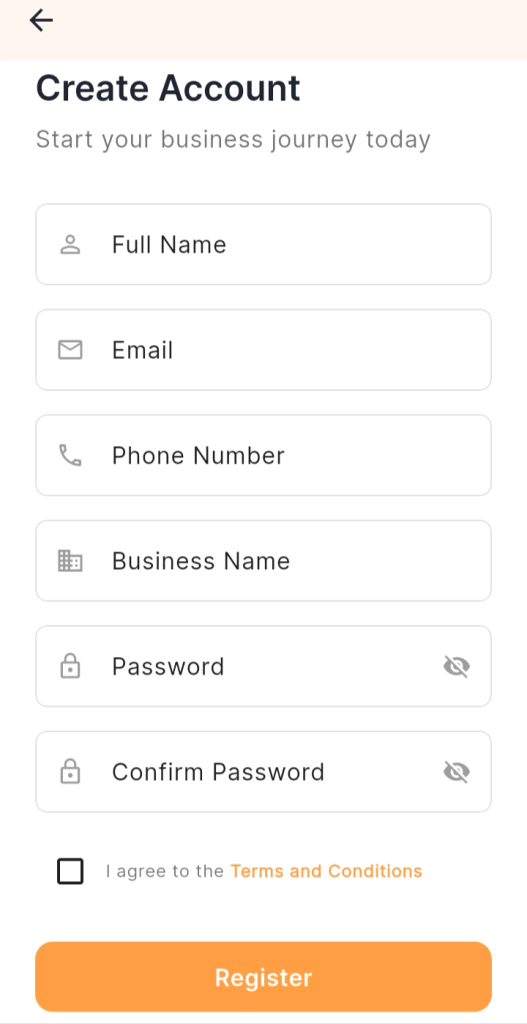
You will be asked for:
• Your full name.
• Email Address
• Phone number.
• A password.
• Accept Terms and conditions (make sure to give it a proper read).
• Click on register.
Fill these in and verify your account (usually via a code sent to your phone or email). That is it — your KarryBiz account is live.
Tip: Use a business email if you have one. It looks more professional when customers interact with your store.
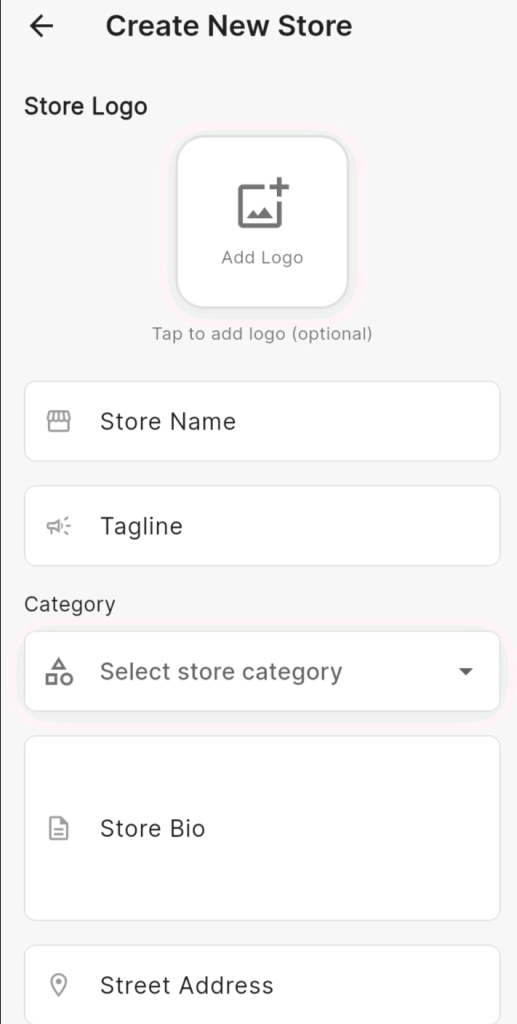
Step 3: Set Up Your Store (2 minutes)
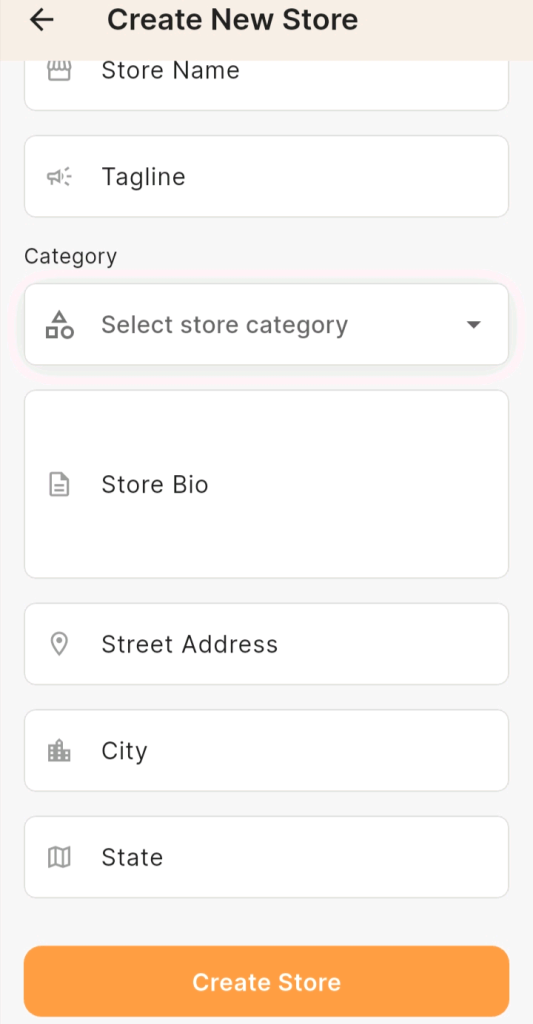
This is where your business gets its digital home. You will be prompted to:
• Name your store: Pick something clear and memorable — ideally your brand name. This is what customers will see.
•Add a store description: Keep it short and punchy. Tell customers what you sell and why they should buy from you. Example: “Premium handmade leather bags shipped across Nigeria.”
• Upload a store logo or banner: This isn’t compulsory to start, but a clean logo builds instant trust. Use your phone to snap or upload one.
Pro tips: you can decide to be creative by taking quality photos of a product, leverage AI tools to come up with something decent as a logo or trust a professional graphic designer to come up with a brilliant logo concept.
• Set your store category: Choose the type of products you sell — fashion, food, digital products, electronics, etc. You will always see a category for your products or pick a complementary one. Once done, tap Save or Continue.
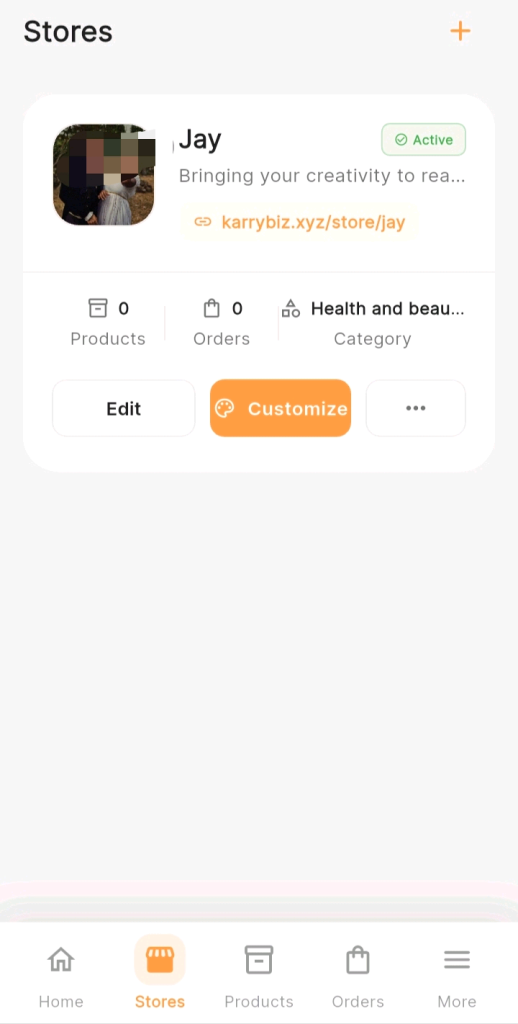
Pro Tips: You can customize this store to your taste by clicking on customize as shown in the attach image. Pick colours to reflect your brand image and organize everything to your taste.
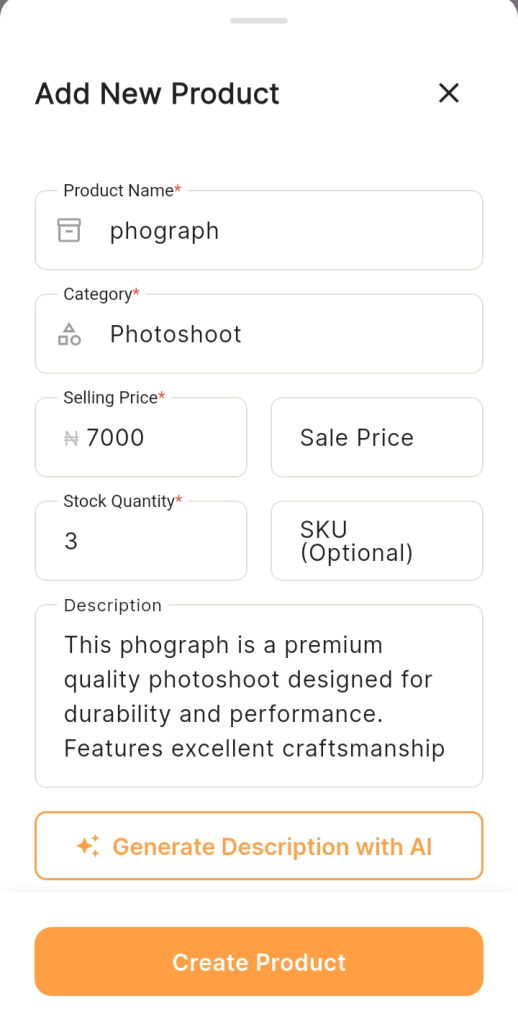
Step 4: Add Your First Product (1 minute)
Now you are making your store a real shop. Tap Add Product and fill in:
• Product name — Be specific. “Black Leather Tote Bag” beats just “Bag.”
• Product type — Choose between a Physical Product (requires shipping) or a Digital Product (downloadable file, ebook, software, etc.). KarryBiz handles both automatically.
• Price — Set your selling price in Naira.
• Inventory quantity — How many units do you have in stock?
• Product images — Upload at least one clear photo. More images = more sales.
• Product description — Describe size, material, colour, what is included, etc.
PS: You can use the AI assistance to craft a brilliant product description that will improve sales.
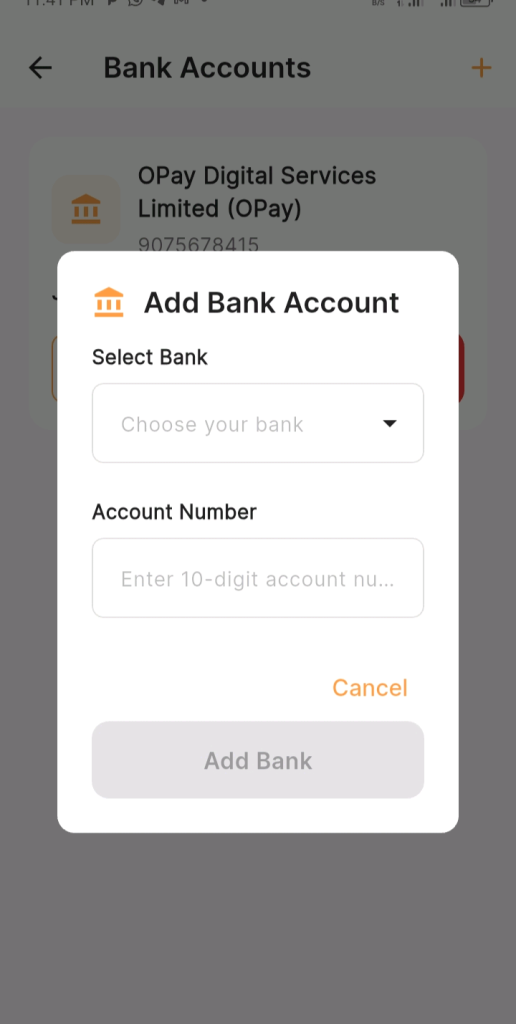
Step 5: Connect Your Bank Account for Payouts (30 seconds)
You are selling — now make sure you can actually receive your money. Head to your Wallet or Payout Settings and add your bank account details. KarryBiz uses an internal wallet ledger to track your earnings, and you can withdraw to your bank at any time.
Payments from customers are processed through Paystack, which means your transactions are secure and familiar to Nigerian buyers.
• Go to more in the menu option.
• Select “bank accounts”.
• Click on the plus button to add your preferred bank.
Your Store Is Live — What Next?
Once your store is set up, KarryBiz gives you a shareable store link. That link is your online shop. You can:
• Share it on WhatsApp, Instagram, TikTok, or Facebook.
• Put it in your bio.
• Send it directly to customers who ask “where can I buy?”
From your dashboard, you can monitor everything in real time — new orders, revenue, payout balance, and delivery status — all from one screen on your phone.
Final Note:
KarryBiz gives you powerful infrastructure, but it won’t bring customers to your door automatically.
Once your store is live, your job is marketing — share your store link everywhere, post your products consistently, and let the platform handle the backend while you focus on growing your audience.
The store setup takes five minutes. Building a customer base is the real work — and KarryBiz is designed to make sure the tools never get in your way when you are ready to sell.
Tips for Running a Successful KarryBiz Store
Creating your store is just the beginning.
To grow your business successfully, consider the following tips:
• Use professional product images. High-quality visuals attract more customers.
• Write persuasive product descriptions. Focus on the value and benefits your products offer.
• Promote your store consistently. Social media is one of the most powerful traffic sources for online businesses.
• Provide excellent customer service. Quick responses and reliable delivery build trust and repeat purchases.